Managing one Google Business Profile is simple. Managing ten takes discipline. Managing a hundred? That's a full-time job—and most companies don't realize it until they're already drowning.
We've talked to brands running 50, 200, even 2,000+ locations. The problems are always the same. Wrong hours on a location nobody checked in three months. A one-star review from six weeks ago that nobody responded to. Posts that stopped going out when the marketing intern left.
This article is about fixing that. Not with vague advice about "being more organized," but with specific systems and tools that actually work at scale.
The 5 Real Problems at Scale
Before solutions, let's name the problems. If you manage 100+ profiles, you probably deal with all five of these.
1. Login Juggling
Google's Business Profile Manager works fine for a few locations. But when you're managing profiles across multiple Google accounts—because different franchisees or regional teams own different accounts—you end up switching between logins constantly. Chrome profiles. Incognito windows. Password managers with a hundred entries.
It's not just annoying. It's error-prone. You're one wrong tab away from editing the wrong location.
2. NAP Drift
NAP—Name, Address, Phone number—should be identical across every listing and directory. But at scale, it drifts. A franchisee changes their phone number and updates Google but not Yelp. Corporate rebrands a location name but misses three profiles. Google itself suggests an edit based on user input, and nobody notices for months.
NAP inconsistency hurts your local search rankings. Google uses consistency as a trust signal. If your data doesn't match across sources, Google trusts your listing less.
3. Review Response Delays
A negative review sitting unanswered for a week looks bad. A negative review sitting unanswered for a month looks like you don't care. When you have 100+ locations each getting reviews, the volume is overwhelming.
Here's the math. If each location gets just 5 reviews a month, that's 500 reviews. Even at 2 minutes per response, that's over 16 hours of work. Just for reviews. Every month.
Most teams fall behind within the first week. By month two, they've given up on older reviews entirely.
4. Stale Posts and Content
Google Posts expire after 7 days (events) or get pushed down after a few days (updates). If you're posting for 100 locations, you need to create and publish hundreds of posts per month to keep profiles active.
Most multi-location brands either post nothing (missing a free ranking signal) or post the same generic content to every location (which Google can detect and devalue).
5. No Visibility Into Ranking
The scariest problem isn't the one you see. It's the one you don't. Without tracking, you have no idea which locations rank well and which ones have dropped off the map—literally.
Google doesn't email you when your listing drops from position 2 to position 8 for "dentist near me." You find out when the phone stops ringing. By then, you've lost weeks or months of potential business.
The Solution: Systems, Not Hustle
You can't solve a 100-location problem by working harder. You need systems. Here are the five that matter most.
1. Centralized Dashboard
Step one is getting out of Google's native interface. You need a single dashboard where every location is visible, searchable, and editable.
A good dashboard shows you:
- All locations with their current status (verified, suspended, needs attention)
- Which profiles have outdated information
- Review counts and average ratings per location
- Recent changes and who made them
- Locations sorted by performance, region, or issues
Think of it as your command center. You should be able to open it each morning and know exactly what needs your attention, without clicking into 100 individual profiles.
BizLoc8 gives you this out of the box. Every connected profile appears in one view, filterable by region, brand, status, or any custom grouping you set up. If you're evaluating GBP management software, this should be the first thing you test.
2. Bulk Operations
When you need to update holiday hours across all locations, you shouldn't need to click into each one. That's a bulk update—select the locations, make the change, review, publish.
Common bulk operations include:
- Hours updates — holiday hours, seasonal changes, new operating hours
- Description changes — company-wide messaging updates
- Category updates — adding or changing business categories
- Photo uploads — new branding, promotional images
- Attribute changes — adding services, amenities, or features
The critical feature here is preview. Before any bulk change goes live, you should see exactly what will change at each location. One typo in a bulk update affects every location it touches. Preview catches that before it's a problem.
3. Automated Review Responses
Automation doesn't mean removing the human. It means removing the repetitive work so humans can focus on what matters.
Here's a practical approach:
- 5-star reviews with no text — auto-respond with a thank-you template. Nobody expects a personal essay for a wordless 5-star rating.
- 4-5 star reviews with text — use AI to draft a response that references specific things the reviewer mentioned. Have a human approve it before posting.
- 1-3 star reviews — always involve a human. These need nuance, empathy, and sometimes escalation. AI can draft, but a person should edit and send.
This workflow cuts review response time by 60-70% while keeping responses personal where it counts. BizLoc8's AI review response does exactly this—it drafts based on the review content and your brand voice, but you always have final approval.
4. Scheduled Posts with Local Customization
The solution to stale content isn't posting more. It's posting smarter.
Create a monthly content calendar with 4-8 post templates. Each template has slots for local customization—the store name, a local offer, a neighborhood reference. Then schedule them to publish automatically across your locations.
Example post template: "Visit [Store Name] this weekend for [Local Offer]. We're at [Address]—stop by and say hello!"
That one template becomes 100 unique-enough posts across your locations. It takes 10 minutes to set up instead of 10 hours.
The key is "unique enough." Google can tell when identical content appears across hundreds of listings. Local customization—even small variations—makes each post distinct.
5. Role-Based Access
Not everyone needs the same permissions. Here's a typical access structure for a 100+ location brand:
- Corporate admins — full access to everything. Can make bulk changes, set policies, view all analytics.
- Regional managers — can edit and manage their region's locations. Can't touch other regions.
- Store managers — can respond to reviews and view analytics for their store. Can't change business information.
- Agency partners — scoped access to specific brands or location groups. Full audit trail of every change.
Without this structure, you're one mistake away from a store manager accidentally changing the corporate phone number or deleting photos from the wrong location.
How BizLoc8 Handles Each Challenge
We didn't build BizLoc8 for single-location shops. We built it for exactly this scenario—brands with dozens or hundreds of locations that need to stay organized without hiring an army.
One Dashboard, Every Location
Connect all your Google Business Profiles through OAuth. No password sharing, no account switching. Every location appears in a single view with real-time status indicators. Filter by region, brand, or custom tags you define.
Bulk Updates with Rollback
Select locations, make your changes, preview the diff, and publish. If something goes wrong, roll back to the previous state. No frantic manual corrections at 11 PM.
AI-Assisted Review Management
All reviews stream into a unified inbox. AI drafts responses based on the review content and your configured brand voice. You approve, edit, or override. Response time drops from days to hours.
Geo-Grid Ranking Visibility
See exactly where each location ranks for target keywords on an actual map grid. Not city-level averages—precise coordinate-level ranking data. Spot drops before they cost you business.
Pricing That Scales
We know what happens when per-location pricing hits 200+ locations. It gets painful. See current pricing for how we handle scaling without surprises.
A Realistic Weekly Workflow for 100+ Locations
Here's what a well-organized week looks like with the right tools in place:
Monday: Review Triage (30 minutes)
Open your review dashboard. Sort by unanswered, oldest first. Approve AI-drafted responses for positive reviews. Flag negative reviews that need personal attention. Assign flagged reviews to regional managers.
Tuesday: Content Push (20 minutes)
Check this week's scheduled posts. Make sure the local customization looks right. Approve or adjust any pending posts. Done.
Wednesday: Data Check (15 minutes)
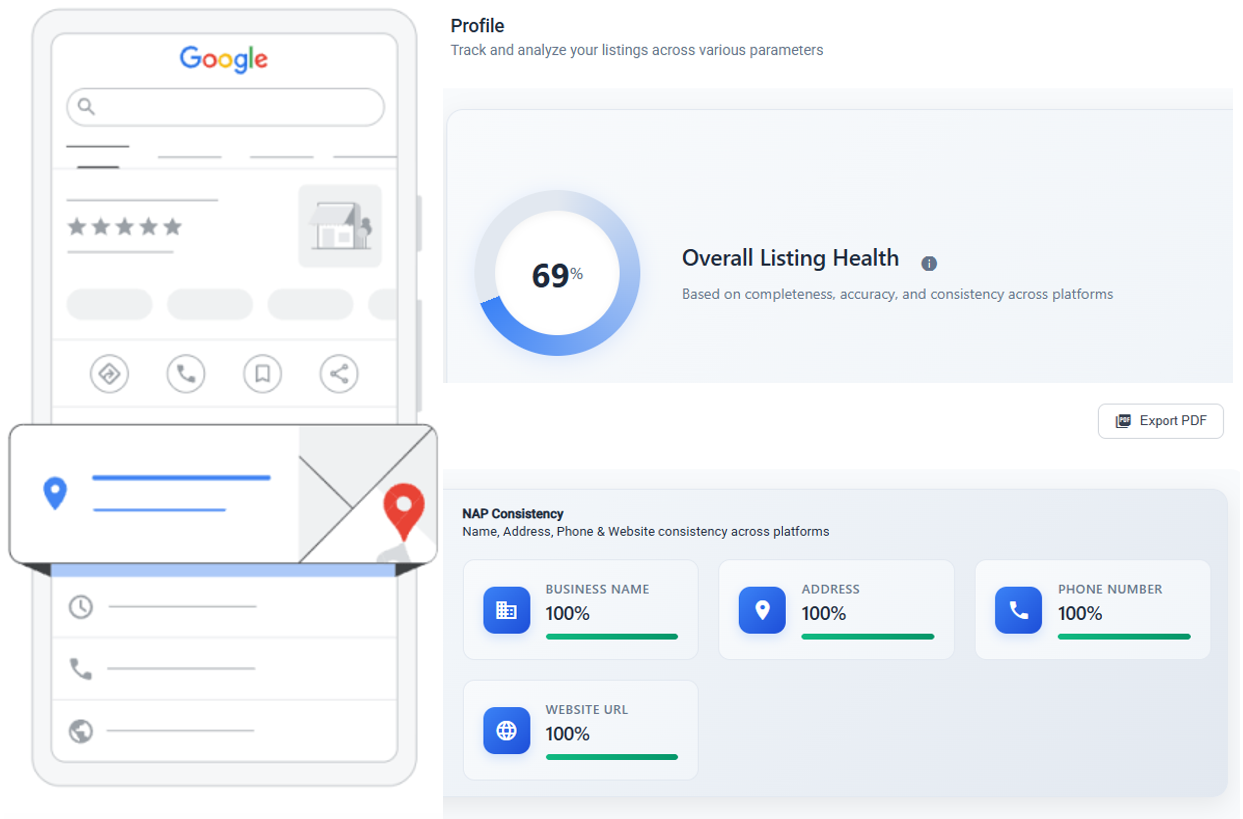
Look at the health dashboard. Any NAP inconsistencies flagged? Any locations with Google-suggested edits? Fix them now before they spread.
Thursday: Performance Review (20 minutes)
Check which locations are trending up and which are dropping. Note any locations that lost ranking positions. Investigate the bottom 10 performers.
Friday: Planning (15 minutes)
Are there upcoming holidays that need hours updates? Any corporate announcements that need to go out? Queue bulk updates for the following week.
Total time: under 2 hours per week to manage 100+ locations. Without systems, this same work would take 20+ hours—if it got done at all.
Common Mistakes to Avoid
- Treating all locations the same. A flagship store in Manhattan and a small-town franchise have different needs. Segment your locations and adjust your strategy.
- Ignoring Google-suggested edits. Google lets users suggest changes to your listing. If you don't respond, Google may accept the suggestion automatically. Monitor and reject incorrect suggestions promptly.
- Setting and forgetting. GBP management is not a one-time setup. It requires weekly attention, even with automation. The automation handles volume; you handle strategy.
- Not tracking what matters. Profile views are nice but don't pay the bills. Track actions: calls, direction requests, website clicks. That's what connects GBP activity to revenue.
- Giving everyone admin access. The fewer people who can make structural changes, the fewer structural mistakes you'll have. Use role-based access. Always.
Getting Started
If you're currently managing 100+ profiles manually, don't try to fix everything at once. Here's the order that works:
- Week 1: Get all profiles into one dashboard. Fix any NAP inconsistencies you find.
- Week 2: Set up review monitoring and response workflows. Clear the backlog.
- Week 3: Create your first batch of scheduled posts. Push them to all locations.
- Week 4: Set up ranking tracking and performance baselines. Now you can measure progress.
Within a month, you'll go from chaos to a system that runs on under 2 hours a week. The listing management guide covers the setup process in more detail.
The brands that win in hyperlocal marketing aren't the ones with the biggest teams. They're the ones with the best systems. Build yours now.
Related Articles