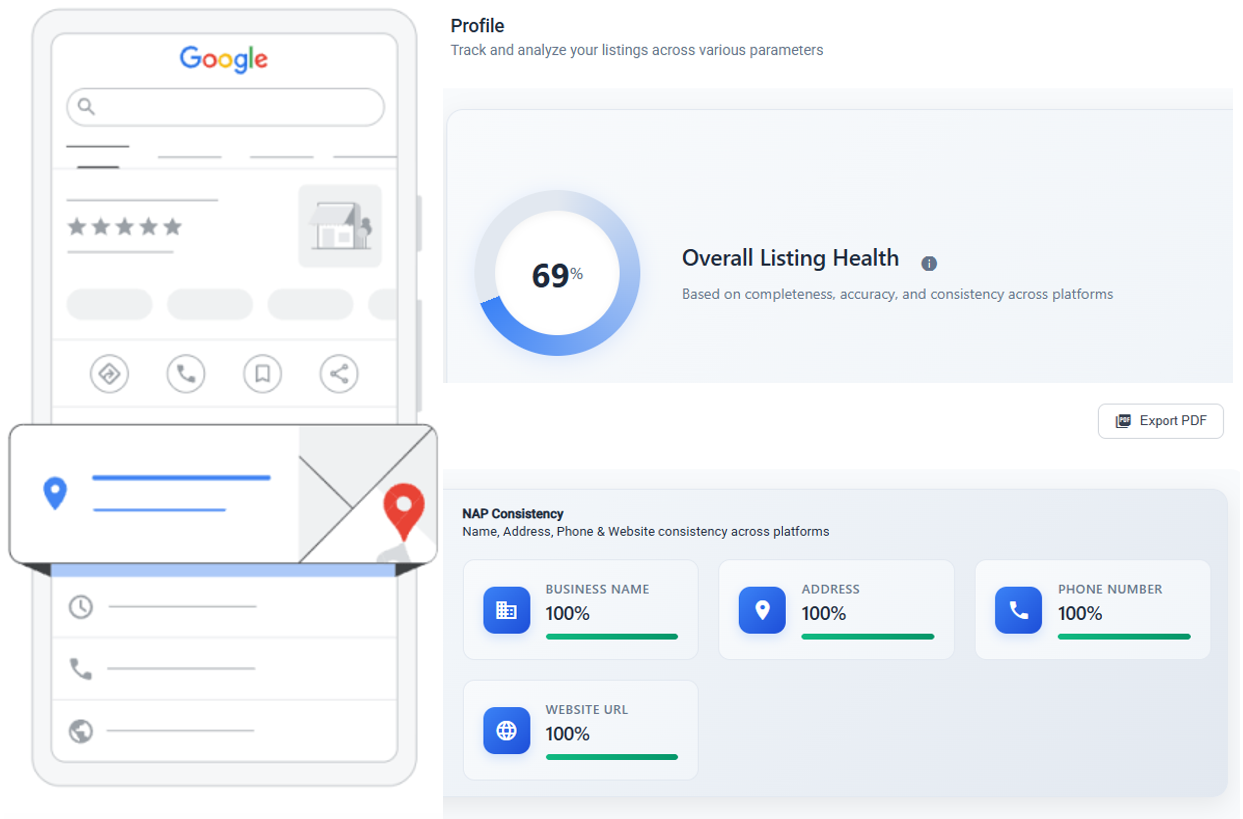
You have a Google Business Profile. Maybe five. Maybe fifty. At some point, logging into each one individually stops being annoying and starts being impossible.
That's where GBP management software comes in. It's a tool that lets you control all your Google Business Profiles from one place. Update hours, respond to reviews, publish posts, fix inconsistencies—without opening twelve browser tabs.
But not every business needs one. And not every tool is worth paying for. This guide will help you figure out if you need GBP management software, what features actually matter, and how to pick the right one.
What Does GBP Management Software Actually Do?
At its core, GBP management software connects to your Google Business Profiles through Google's API and gives you a centralized dashboard to manage them. Instead of logging into Google for each location, you do everything from one screen.
Think of it like email. You could log into Gmail, Outlook, and Yahoo separately every morning. Or you could use one email client that pulls everything together. GBP management software does the same thing for your business listings.
Here's what it typically handles:
- Listing information — business name, address, phone number, hours, categories, attributes
- Reviews — monitoring, responding, and tracking sentiment across locations
- Posts — creating, scheduling, and publishing Google Posts
- Photos and media — uploading and managing images
- Analytics — tracking views, clicks, calls, and direction requests
- Bulk operations — updating hundreds of profiles at once
The best tools do all of this through a single interface. The mediocre ones do half of it and make you go back to Google for the rest.
Who Actually Needs This?
Not everyone. If you run one coffee shop and update your hours twice a year, you don't need software for that. Google's native dashboard works fine for single locations with low maintenance.
But the calculus changes fast. Here's when GBP management software becomes necessary:
Multi-Location Businesses
If you manage more than 10 locations, you've already felt the pain. Each location needs its own hours, its own photos, its own review responses. One person can maybe handle 20 profiles manually. Beyond that, things start slipping—outdated hours, unanswered reviews, inconsistent descriptions.
Franchise brands, restaurant chains, retail networks, healthcare groups, real estate agencies with multiple offices—these are the obvious users. If you're managing 100+ profiles, software isn't optional. It's survival.
Agencies Managing Client Listings
Marketing agencies that handle local SEO for clients need a way to manage multiple brands, each with multiple locations. Switching between Google accounts all day is a recipe for mistakes. You'll accidentally post a dentist's update on a pizza shop's profile. It happens.
Good GBP management software gives agencies role-based access, client separation, and audit trails so you can see who changed what and when.
Businesses in Competitive Local Markets
If you're in a city where ten competitors offer the same service, your GBP is a battleground. Fresh posts, quick review responses, accurate info—these all affect your local search ranking. Software helps you stay consistent without hiring someone full-time just to manage Google.
Brands That Care About Data
Google gives you basic insights for each profile. But if you want to compare performance across locations, spot trends, or report to stakeholders, you need something that aggregates data. Pulling numbers from 50 separate Google dashboards into a spreadsheet every month is nobody's idea of fun.
The 6 Core Features That Matter
There are dozens of GBP management tools on the market. They all have feature lists a mile long. But only a handful of features actually make a difference in your day-to-day work.
1. Listing Sync and NAP Consistency
NAP stands for Name, Address, Phone number. If these don't match across your profiles—and across other directories—Google trusts your listing less. Good software catches inconsistencies automatically.
Look for tools that detect when Google overrides your data (it happens more than you'd think) and alert you immediately. Some tools sync your info to other directories too, but the GBP sync is the most important one.
2. Review Management
This is the feature most businesses care about first. A good review management system lets you:
- See all reviews across all locations in one feed
- Respond directly without leaving the dashboard
- Set up templates for common response types
- Get notified instantly when new reviews come in
- Track review velocity and average rating over time
Some tools now use AI to draft review responses. This can save time, but read them before posting. A generic AI response to a specific complaint does more harm than no response at all.
3. Post Scheduling
Google Posts are underused by most businesses. They show up directly in your listing and can highlight offers, events, or updates. But creating them one-by-one for each location is tedious.
Good software lets you create a post once and push it to multiple locations. Great software lets you customize each version slightly—swapping out the location name, local offer, or store-specific detail—before publishing.
4. Bulk Operations
Thanksgiving hours. A company-wide phone system change. A new logo across all locations. These updates shouldn't take a week. Bulk update tools let you change hundreds of profiles in minutes.
The key things to look for: the ability to preview changes before they go live, selective updates (change hours for these 30 locations but not those 20), and rollback if something goes wrong.
5. Analytics and Reporting
You need to know what's working. At minimum, your tool should show:
- Profile views and search queries per location
- Click-through rates (calls, website visits, direction requests)
- Review trends (volume, rating, sentiment)
- Comparison across locations and time periods
Bonus points if it can generate client-ready reports automatically. Nobody wants to build PowerPoints from scratch every month.
6. Role-Based Access
Not everyone on your team should have the same permissions. A store manager might need to respond to reviews but shouldn't be able to change the business address. An intern should be able to draft posts but not publish them.
This matters more than people think. One wrong edit by an untrained team member can tank your listing until you notice and fix it.
Manual Management vs. Software: Where's the Line?
Let's be honest about this. Not every task needs a tool.
Stick With Manual If:
- You have 1-5 locations
- You update your profiles less than once a month
- You get fewer than 10 reviews per month total
- You don't publish Google Posts regularly
- You're a solo operator and your time isn't stretched thin
Switch to Software When:
- You have 10+ locations (or growing toward it)
- Review response time matters to your business
- You need to report on GBP performance to anyone
- Multiple people touch your listings
- You've made mistakes because of manual copy-paste errors
- Holiday hours or seasonal updates are a recurring headache
The tipping point is usually around 10 locations. Below that, you can get by with discipline and a spreadsheet. Above that, you're spending more time on logistics than on actual marketing.
How to Evaluate GBP Management Software
All tools look great in demos. Here's how to tell if they'll actually work for you.
Check the Google API Connection
This is the most important technical detail. Some tools use Google's official Business Profile API. Others use workarounds or scraping. The API-based tools are more reliable and less likely to break when Google changes something (which Google does often).
Ask directly: "Do you use the official Google Business Profile API?" If they dodge the question, that's your answer.
Test With Your Actual Data
Don't evaluate with a demo account. Connect your real profiles during the trial. You'll quickly see if the sync is accurate, if the review feed is real-time, and if the bulk tools handle your specific data structure.
Look at Update Speed
When you change something in the tool, how long until it shows up on Google? Some tools batch updates and push them hours later. Others sync in near-real-time. For things like wrong phone numbers or incorrect hours, speed matters.
Ask About Conflict Resolution
Google sometimes overrides your data. A customer suggests an edit. A third-party source pushes different hours. What does the tool do when its data conflicts with what Google is showing? The best tools detect these conflicts and alert you. The worst ones silently lose the fight.
Evaluate the Pricing Model
Some tools charge per location. Others charge per user. Some have flat tiers. The per-location model can get expensive fast if you're growing. Make sure you understand what happens to your bill when you add 20 more locations next quarter.
BizLoc8 keeps pricing straightforward—see current pricing for details.
Check What Happens When You Leave
Can you export your data? Do your Google connections stay intact, or does everything break? You should never feel locked into a tool because leaving is too painful.
What BizLoc8 Does Differently
We built BizLoc8 because we managed multi-location brands ourselves and got tired of the gaps in existing tools. Here's what we focused on:
- Real-time sync — changes push to Google within minutes, not hours
- Conflict detection — we flag when Google overrides your data so nothing slips through
- Bulk operations with preview — see exactly what will change before you commit
- Review response with AI assist — drafts a response you can edit, not a response that goes out blindly
- Geo-grid ranking — see where you rank for local keywords at specific coordinates, not just city-level averages
- Built for scale — works the same whether you have 5 locations or 5,000
If you're exploring listing management tools, start with understanding your needs first. The best tool is the one that fits how your team actually works.
Quick Checklist: Choosing GBP Management Software
Before you sign up for anything, run through this:
- Does it use the official Google Business Profile API?
- Can you connect all your locations during the free trial?
- Does it detect when Google overrides your data?
- Can you preview bulk changes before publishing?
- Does the pricing make sense at your current scale AND your projected scale?
- Can you respond to reviews from the dashboard without going to Google?
- Does it offer role-based access for your team?
- Can you export your data if you decide to leave?
- Is there real support (not just a chatbot) when things break?
If a tool checks all these boxes, it's worth a serious look. If it misses more than two, keep looking.
The Bottom Line
GBP management software isn't magic. It won't fix bad reviews or make a poorly-run business rank higher. What it does is remove the operational friction that keeps you from doing the work that matters.
When your listings are accurate, your reviews get answered promptly, and your posts go out on schedule—that consistency compounds. Google notices it. Customers notice it.
If you're still managing everything manually and it's working, great. Keep doing that. But if you're spending more time wrestling with Google dashboards than actually marketing your business, it might be time to look at a tool that handles the grunt work for you.
Start with your biggest pain point. For most businesses, that's either managing profiles at scale or keeping up with reviews. Pick a tool that solves that first problem well, and expand from there.
Related Articles