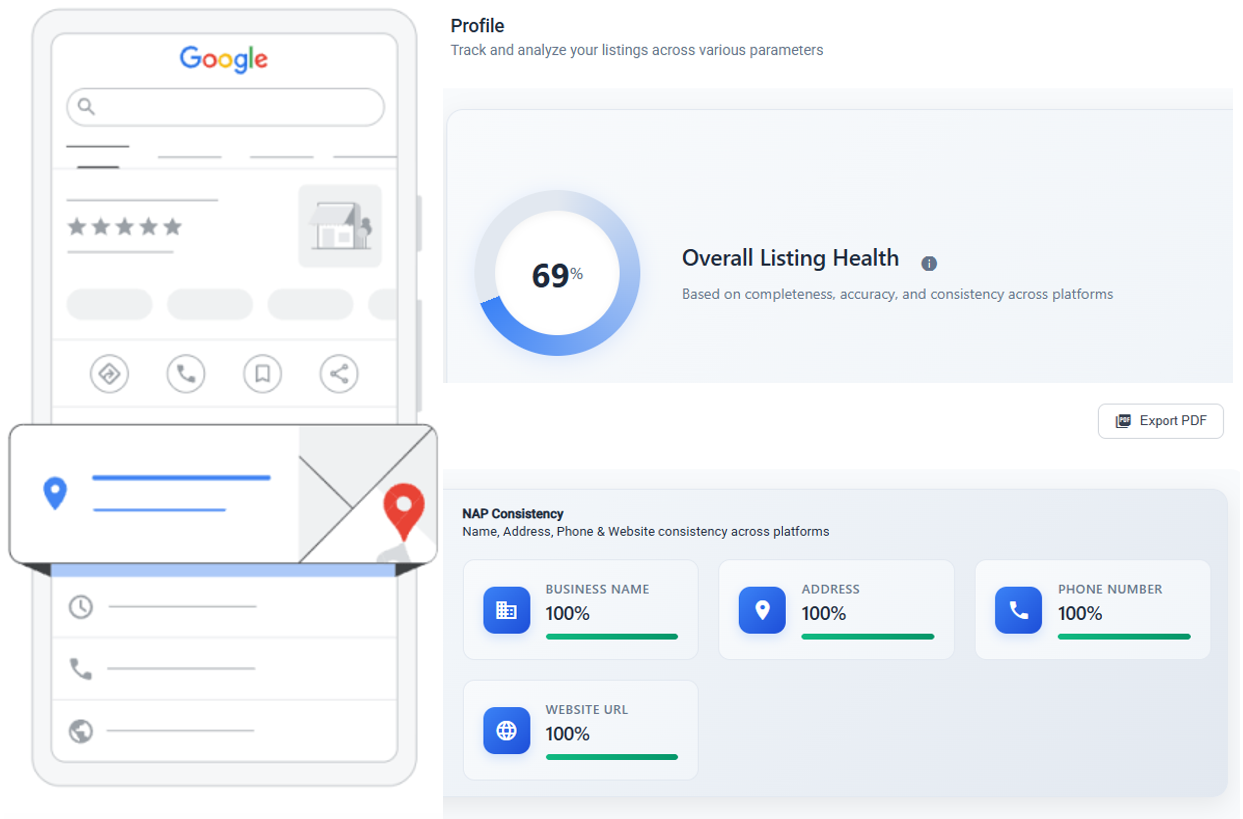
You have 50 locations. Or 500. Every single one has a Google Business Profile. And every single one is a chance to either win a customer or lose them to a competitor down the street.
The problem? Most multi-location brands treat GBP optimization as a one-time task. Set it and forget it. That's how profiles go stale, rankings drop, and customers find someone else.
This checklist is what we use when auditing profiles for brands with dozens to thousands of locations. It's organized by category, with specific actions, the reason each matters, and the mistakes we see over and over again.
Print it. Share it with your team. Run through it quarterly at minimum.
1. Business Information
This is the foundation. Get it wrong here and nothing else matters.
Business Name
What to do: Use your exact legal business name. No keyword stuffing. If your brand is "Sunrise Dental," don't list it as "Sunrise Dental - Best Dentist in Chicago Affordable Implants."
Why it matters: Google penalizes keyword-stuffed names. They can suspend your listing entirely. We've seen it happen to brands that thought they were being clever.
Multi-location nuance: Keep the name consistent across all locations. If some locations are franchises with slightly different legal names, document the variations and use each one correctly. Don't force uniformity where the legal name actually differs.
Common mistake: Adding the city name to the business name. "Sunrise Dental - Chicago" violates Google's naming guidelines unless "Chicago" is genuinely part of the registered name.
Address (NAP Consistency)
What to do: Verify the address matches exactly what's on your website, citations, and other directories. Suite numbers, abbreviations (St vs Street), everything.
Why it matters: Inconsistent NAP (Name, Address, Phone) confuses Google's trust signals. If your GBP says "123 Main St" but your website says "123 Main Street, Suite 4," Google isn't sure they're the same place.
Multi-location nuance: This is where things break at scale. One person sets up Location A with "Ste" and another person sets up Location B with "Suite." Multiply that by 200 locations and you have a mess. Standardize your formatting rules before anyone touches a profile.
Common mistake: Using a P.O. Box or virtual office address. Google requires a physical location where you serve customers.
Phone Number
What to do: Use a local phone number for each location, not a central 1-800 number. Each location should have its own direct line.
Why it matters: Local numbers strengthen the local signal. A toll-free number tells Google nothing about where you actually are.
Common mistake: Using tracking numbers that change frequently. If you use call tracking, make sure the number stays consistent on GBP and your website.
Business Hours
What to do: Set accurate regular hours for each location. Update holiday hours in advance. Use "special hours" for temporary changes.
Why it matters: Wrong hours are the #1 source of negative reviews that have nothing to do with your actual service. "Drove 20 minutes and they were closed" is a one-star review you didn't need.
Multi-location nuance: Different locations often have different hours. Don't copy-paste hours across all profiles. A downtown location might close at 9 PM while a suburban one closes at 6 PM. Check each one individually.
Categories
What to do: Choose the most specific primary category available. Add 2-5 relevant secondary categories. Don't add categories for services you don't actually offer at that location.
Why it matters: Your primary category is one of the strongest ranking factors in Google Maps. Choosing "Restaurant" instead of "Italian Restaurant" means you're competing with every restaurant instead of ranking for your niche.
Multi-location nuance: If some locations offer different services (e.g., one car dealership location has a body shop and another doesn't), the categories should reflect that. Not all locations need identical categories.
Common mistake: Choosing overly broad categories. Also: adding categories that describe what you sell rather than what you are. A grocery store shouldn't add "Bakery" as a category just because they sell bread.
Attributes
What to do: Fill out every applicable attribute: wheelchair accessibility, outdoor seating, Wi-Fi, payment methods, women-owned, veteran-owned, etc.
Why it matters: Attributes show up in search filters. If someone searches "wheelchair accessible restaurants near me," you won't appear unless you've set that attribute.
Common mistake: Ignoring attributes entirely. Many brands don't realize they exist, or they fill them out for one location and forget the rest.
2. Visual Content
Profiles with photos get 42% more requests for directions and 35% more click-throughs to websites (Google data). Yet most multi-location brands either have zero photos or the same stock images on every profile.
Logo
What to do: Upload a square, high-resolution logo (720x720px minimum). Same logo across all locations for brand consistency.
Why it matters: The logo appears in search results, Maps, and when you reply to reviews. A missing or blurry logo looks unprofessional.
Cover Photo
What to do: Upload a cover photo that shows the actual storefront or interior of each specific location. 1080x608px minimum.
Multi-location nuance: This is where per-location customization matters most. A generic corporate image says nothing about the specific location. Show the actual place. Customers want to know what they'll walk into.
Common mistake: Using the same cover photo for all 300 locations. Customers notice. Google might too.
Additional Photos
What to do: Upload at least 10 photos per location. Include exterior shots (different angles, daytime and nighttime), interior shots, team photos, product/service photos, and photos showing the customer experience.
Why it matters: More photos = more engagement. But they need to be real, recent, and relevant. A photo from 2019 of a now-remodeled store hurts more than it helps.
Common mistake: Uploading a batch of photos once and never updating them. Refresh photos every quarter. Seasonal updates work well too.
Video
What to do: Upload short videos (30-60 seconds). Walkthroughs of the location, quick service demos, or customer testimonials. Max 75MB, 720p or higher.
Why it matters: Video is still underused on GBP. Most competitors don't bother. That's your advantage. Profiles with video stand out in search results.
3. Content & Engagement
A complete profile is the baseline. Active engagement is what separates brands that rank from brands that don't.
Google Posts
What to do: Publish at least 1-2 Google Posts per week per location. Use a mix of updates, offers, and event posts. Include a clear call-to-action and a relevant image.
Why it matters: Google Posts are a freshness signal. They tell Google your business is active. They also give searchers a reason to engage with your profile instead of scrolling past it.
Multi-location nuance: Posting at scale is the hard part. You can't write 500 unique posts per week manually. Use a mix of brand-level posts (pushed to all locations) and location-specific posts (local events, location-specific offers). A tool like BizLoc8 lets you manage posts across all locations from one dashboard.
Common mistake: Posting the same generic content to every location. "Visit us today!" with a stock photo doesn't move the needle. Localize where you can.
Q&A Section
What to do: Seed 5-10 common questions and answers on each profile. Monitor for new questions and respond within 24 hours.
Why it matters: Anyone can answer questions on your GBP. If you don't answer them, random people on the internet will. And they might get it wrong. Or worse, a competitor could answer with misleading information.
Common mistake: Not knowing the Q&A section exists. Seriously. Many brand managers have never scrolled down far enough to see it.
Products & Services Catalog
What to do: Add your products and services with descriptions and prices (where applicable). Organize them into categories.
Why it matters: These show up directly in your GBP listing. They give Google more context about what you offer, and they give customers the information they need without clicking through to your website.
Multi-location nuance: If different locations offer different services or pricing, customize accordingly. A spa in Manhattan shouldn't show the same prices as one in a small town.
4. Reviews
Reviews are the single biggest factor in consumer decision-making for local businesses. They also directly impact your ranking in Google Maps.
Response Rate
What to do: Respond to 100% of reviews. Yes, all of them. Positive and negative.
Why it matters: Google has confirmed that responding to reviews improves your local ranking. Beyond SEO, it shows customers you're paying attention. An unanswered negative review tells future customers you don't care.
Multi-location nuance: At scale, this requires a system. You can't have one marketing manager manually checking 500 profiles every day. Centralize review monitoring and set up alerts. Many brands use BizLoc8 to track and respond to reviews across all locations from a single view (see current pricing).
Response Time
What to do: Respond within 24 hours. Ideally within a few hours for negative reviews.
Why it matters: Speed matters for damage control. A negative review that sits unanswered for two weeks looks much worse than one with a thoughtful response posted the same day.
Common mistake: Using the same canned response for every review. "Thank you for your feedback!" copied 300 times doesn't feel personal. Vary your responses. Mention specifics from the review.
Review Generation
What to do: Create a simple, repeatable process to ask happy customers for reviews. QR codes at checkout, follow-up emails, SMS after service completion. Make the link go directly to the review form, not just your GBP profile.
Why it matters: Review velocity (how many new reviews you get per month) is a ranking factor. A business with 500 reviews from 2023 and nothing new looks stagnant. A business with 200 reviews but 20 new ones this month looks alive.
Common mistake: Incentivizing reviews with discounts. Google's guidelines prohibit this. If they detect incentivized reviews, they can remove them or penalize your profile.
5. Technical Setup
This is the stuff that happens behind the scenes. It's less visible but it matters just as much.
Verification
What to do: Verify every single location. Unverified profiles have limited features and significantly lower visibility. For brands with many locations, use bulk verification or brand whitelisting.
Why it matters: An unverified profile is essentially invisible. Google doesn't trust it, and it won't show up in competitive searches.
Common mistake: Assuming verification is automatic. It's not. Each location needs to go through the verification process. For large brands, this can take weeks if you don't use bulk verification.
Website Link
What to do: Link to a location-specific landing page, not your homepage. Each GBP profile should point to a page that matches that specific location's address, phone number, and services.
Why it matters: Google cross-references the information on your GBP with the page you link to. If your GBP says "Denver" but the link goes to a generic homepage with no mention of Denver, that's a missed signal.
Common mistake: Linking all 500 locations to the same homepage. Build location-specific pages. They don't need to be complicated, just accurate.
UTM Tracking
What to do: Add UTM parameters to your GBP website link so you can track traffic from each profile in Google Analytics. Use a consistent naming convention: ?utm_source=gbp&utm_medium=organic&utm_campaign=location_name
Why it matters: Without UTM tracking, GBP traffic shows up as "direct" or "organic" in your analytics. You have no idea which locations are driving traffic and which aren't. Data drives decisions.
Common mistake: Using inconsistent UTM parameters across locations. "gbp" in one, "google_business" in another, "GBP" in a third. Standardize before you roll out.
Schema Markup on Landing Pages
What to do: Add LocalBusiness schema markup to each location landing page. Include name, address, phone, hours, geo coordinates, and link it to your GBP profile using the @id property.
Why it matters: Schema helps Google connect your website content to your GBP profile. It reinforces the relationship between the two and strengthens your local signals.
Common mistake: Using Organization schema instead of LocalBusiness schema. Or having schema on the homepage but not on individual location pages.
Putting It All Together
Here's the reality of multi-location GBP optimization: doing all of this manually is nearly impossible past about 10 locations. The checklist doesn't change, but the logistics do.
At 50+ locations, you need:
- A centralized dashboard to see the status of all profiles at once
- Bulk update capabilities for hours, attributes, and categories
- Automated posting with the ability to localize content per location
- Review monitoring and alerts across every profile
- Audit tools that flag incomplete or inconsistent profiles
That's exactly what BizLoc8 is built for. Manage profiles, publish posts, track reviews, and run audits across all your locations from one place. See current pricing to find the right plan for your brand.
Recommended Cadence
- Weekly: Publish Google Posts, respond to reviews, check Q&A
- Monthly: Review photos (add new, remove outdated), check for Google-suggested edits, update products/services if needed
- Quarterly: Full audit using this checklist. Check NAP consistency, verify hours, review categories and attributes, refresh cover photos
- Annually: Deep audit. Recheck all schema markup, update landing pages, reassess categories as Google adds new options
The brands that win in hyperlocal marketing aren't the ones with the fanciest strategy. They're the ones that do the basics right, consistently, across every single location. This checklist is those basics.
Start at the top. Work your way down. Fix what's broken. Then do it again next quarter.
Related Articles